Adobe After Effects How to Morph / Warp an Object - Visual Effects 101 - YouTube

Created: 2013-11-13 08:26 Updated: 2013-11-13 08:26 Source: http://www.youtube.com/watch?v=LugmTCThENQ Notebook: Motion Graphics

You're using YouTube as Mohammed Shamma.
Want to switch accounts? Click here
.
mshamma@gmail.com
.
.

Guide

.
.

Adobe After Effects How to Morph / Warp an Object - Visual Effects 101

.
Surfaced Studio
Surfaced Studio·56 videos
25,463
71,990
752    
13
.
.

Published on Jun 10, 2012

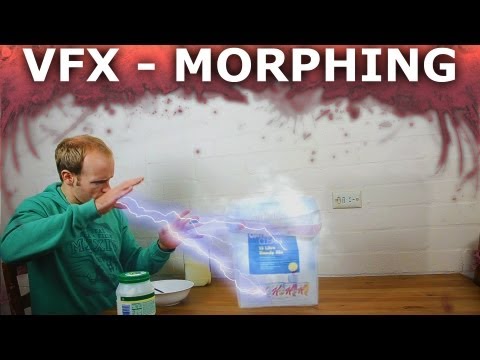
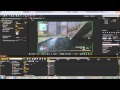
Learn how to create a great morph effect and warp one object into another in this brand new Adobe After Effects tutorial! This effect is fairly simple to set up and can come in handy in many different situations :D

Many thanks to Fables In Fashion for helping with the effects for this tutorial :)
Her channel is here
http://www.youtube.com/fablesinfashion

You can follow me here:
http://www.twitter.com/surfacedstudio
http://www.surfacedstudio.com

Video and Music - Copyright © 2012 SurfacedStudio

Any additional sound FX are from freesound.org under the Creative Commons 0 License:
http://creativecommons.org/publicdoma...
"You can copy, modify, distribute and perform the work, even for commercial purposes, all without asking permission."


All comments (388)
Share your thoughts
Top comments
 

Stream

 
So, when you say "ninja swapping" in the end credit, did you then roto him out of the frames for the finished product?
Reply
 · 
 
Actually FablesInFashion exchanged the items in my hand during the intro. I would pause, she'd replace the object and I'd continue to talk then :) Then I added the morph effect over it in the end. For the outro, she held the basketball in place as I changed clothes
Reply
 · 
 
Nicely done.  Very smooth finished product.  I'm working on a project inspired by this vid.  I'll share with you when I'm finished.  Thanks for this upload.  I'm self teaching through vids such as this.  You and all the others are greatly appreciated.
Reply
 · 
 
Very short project I started over the weekend inspired by your morph tutorial.  Thank you very much for the teaching!

Little Magician - Masking and Morphing (before VFX) - After Effects
Reply
 · 
 
I usually use either CC Particle World or Particular for the particle effects. I have a tutorial on the lightning effect already
 
how do you do all the particles and stuff.BTW i love your channel
 
I believe the effect is very much the same, but I think they spent a lot of time (and money) on making sure the morph effect applies very cleanly so that the facial features sync up each time. Not sure they used After Effects or a more sophisticated program for this, but the concept is very much the same
 
The closest videotutorial for what I was looking for. I want to create the video morphing face, like 'Black or White' Michael Jackson video. You know how?
 
Give it a try (you'll probably need animated masks) and see if you're happy with how it looks. If it works for you - excellent!
 
I was thinking about a simple a->b transition as you said.
 
Well, it depends on how you expect your clothes to look when they warp. If you just want a fairly flat a->b warp you can use this effect. If you are looking for a more sophisticated VFX, this technique might not suffice. But it'll depend on what you are after
 
even if the scene shot is static? ( no camera moving)
 
You will have to use animated masks - though with complex elements like moving cloth that might not work too well
 
how to warp something like clothes?
 
Magic! Nah, I had fablesinfashion help me. I would stop moving and she would swap the item that is in my hand. I would then continue my motion as if I had never stopped. Then I applied the morph effect to cover up the transition. At the end, fablesinfashion held up the ball in position while I went, got changed and returned to the same position. Same morph effect
 
Thank you! On what things do you need more detail?
 
waw very Nice tutorial, i need more detail on that things.
 
great! thank you!
 
You can select it and Edit->Copy, then select the other layer and go Edit->Paste. Shortcut keys will work too.
Show more
.
.

View static HTML