Learning Visual Studio Code

 Do you develop with Angular, JavaScript, TypeScript, Docker, Python, Gulp, or ASP.NET? Do you work on a Mac OSX, Linux, or Windows? Today’s developers work with a variety of languages and platforms, so a good tool is super important. I use an editor for most of my development and have tried Brackets, Atom, Sublime and others, but since the preview of Visual Studio Code (aka Code) was released I’ve been using it increasingly as my go-to editor.
I’m excited to announce that you can now watch and learn with my Visual Studio Code course on Pluralsight, released this week.
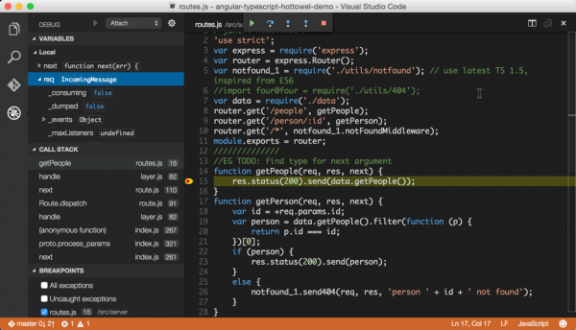
Visual Studio Code is an editor. It is not Visual Studio and it is not intended to be. Code sits side by side in your tool belt. There is a huge difference and different purpose for an editor vs an IDE (Integrated Development Environment). Editors are lightweight, fast, efficient and tend to be very keyboard centric. They target the vast majority of your daily developer workflow. IDE’s tend to have a lot of wizards, panels, buttons, connections to other services and tools, and be a staple of the “integrated” developer workflow. Both are great and both have a co-existent purpose.
Whether you are on a Mac or Windows and into Angular, TypeScript, JavaScript, Node.js and/or C#/ASP.NET there’s something here for you! Visual Studio Code is a fast and lightweight cross-platform code editor for writing modern web and cloud applications. This course shows you how to debug, refactor, peek and find references, get intellisense and autocomplete, use the multi-cursor, run task automation using Gulp or Grunt, and work in a variety of languages and platforms like node.js, ASP.Net, JavaScript, and TypeScript.
## Other Web Courses
More Reading Visual Studio Code Series
If you are interested in Visual Studio Code you can check out my earlier blog post series:
- Introducing Visual Studio Code
- Getting Started with Visual Studio Code
- Intellisense
- Refactoring
- Debugging
- Git Integration and Preferences
Share this:
Recent Posts
Recent Comments
- shyamal890 on AngularJS’s Controller As and the vm Variable
- Alag Janehe on Create an Angular App in Seconds with Hot Towel
- Terry Burkins on Angular App Structuring Guidelines
- John on Angular App Structuring Guidelines
- RyanThePatriot on Angular App Structuring Guidelines